|
How to calculate course climb
|   |
|
How to calculate course climb
| |
Course climb is shown in the control description header in the rightmost of the three header boxes just above the start. By default, the text shown in this box is entered manually in the Course dialog.
Auto-calculate course climb
Condes can help you calculate the climb for a course, by calculating the sum of climb values for each course leg.
To do this, you need to estimate - for each course leg - the climb for the logical route choice, and enter these values into Condes. Condes then adds the climb values to calculate the total climb for the course, and uses this value in the control description.
The climb value for a given course leg needs only be entered once, when the leg is used on multiple courses. If the leg is used in both directions on different courses (this is normally not recommended best course planning practice), you need to enter separate climb values for each direction.
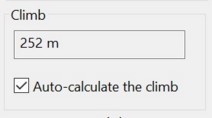
A checkbox in the Course dialog controls whether Condes auto-calculates the course climb. If left unchecked, you can enter a free text in the climb box. You need to configure this individually for each course.
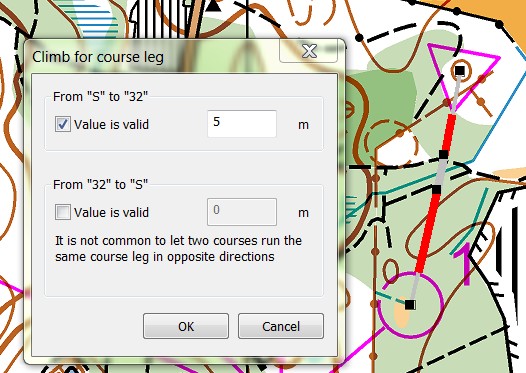
It is essential that you enter a climb value for each course leg: Select a course leg by clicking the mouse on it, then right click and select "Climb". In the Course Leg Climb dialog window that pops up, enter the climb value in meters for the relevant direction. The dialog allows you to enter separate values for climb in either direction. Alternatively, use the "course leg climb spreadsheet" where you can enter values for all course legs.
Keep in mind that when you move a control, this may change the logical route choice and thus the climb. If you move a control significantly from its current position, Condes automatically marks as invalid the climb values for legs to and from that control.
If a course is configured to use auto-calculated climb, and one or more course legs have invalid climb values, the course is highlighted with red background in the courses list.